
Two nights before
- Prioritize a good night of sleep both nights.
- If this is not the first test, review past mistakes.
- Choose three things to improve in each section.
Practice Digital SAT
Set aside one uninterrupted testing block, use a laptop or computer, and follow these instructions so we receive everything needed to build your detailed score report.
Before test day
A smooth start matters. Handle the technical details early so test day measures performance—not troubleshooting.
The app may not retain the same login information as the College Board website, so keep the username and password nearby.
On test day
Have number-two pencils, scrap paper, water, snacks for breaks, and a familiar calculator. Desmos is built into Bluebook.
Leave it in another room or silence it with Do Not Disturb. Bluebook has its own timer.
Eat a healthy breakfast and structure the morning as you would for the official exam.
Practice scores cannot be used for admission. They are seen only by Test Prep Wizards staff and anyone you choose to share them with.
After the test
Follow the steps below after completing the full practice test. College Board screens may change slightly, but the labels should remain similar.
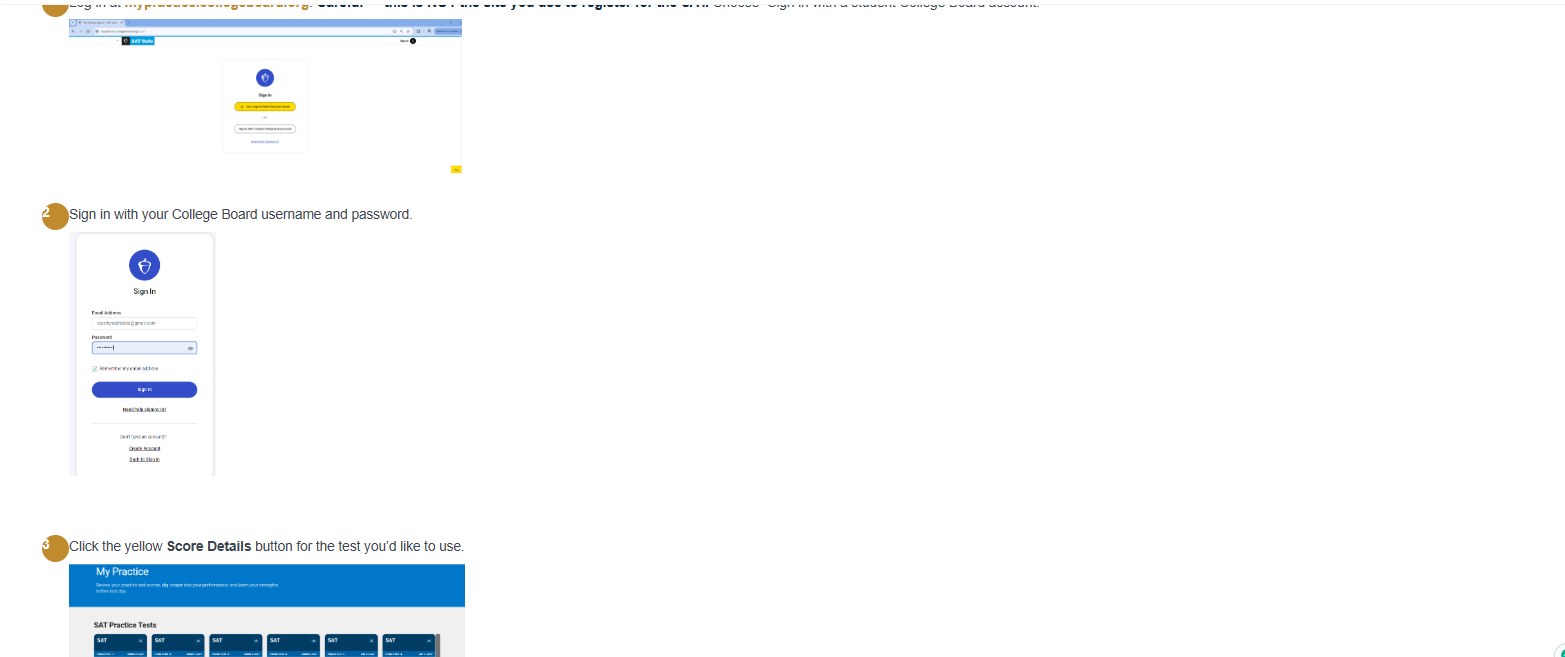
Go to mypractice.collegeboard.org. This is not the page used to register for the SAT. Choose “Sign in with a student College Board account.”
Use the student’s College Board username and password.
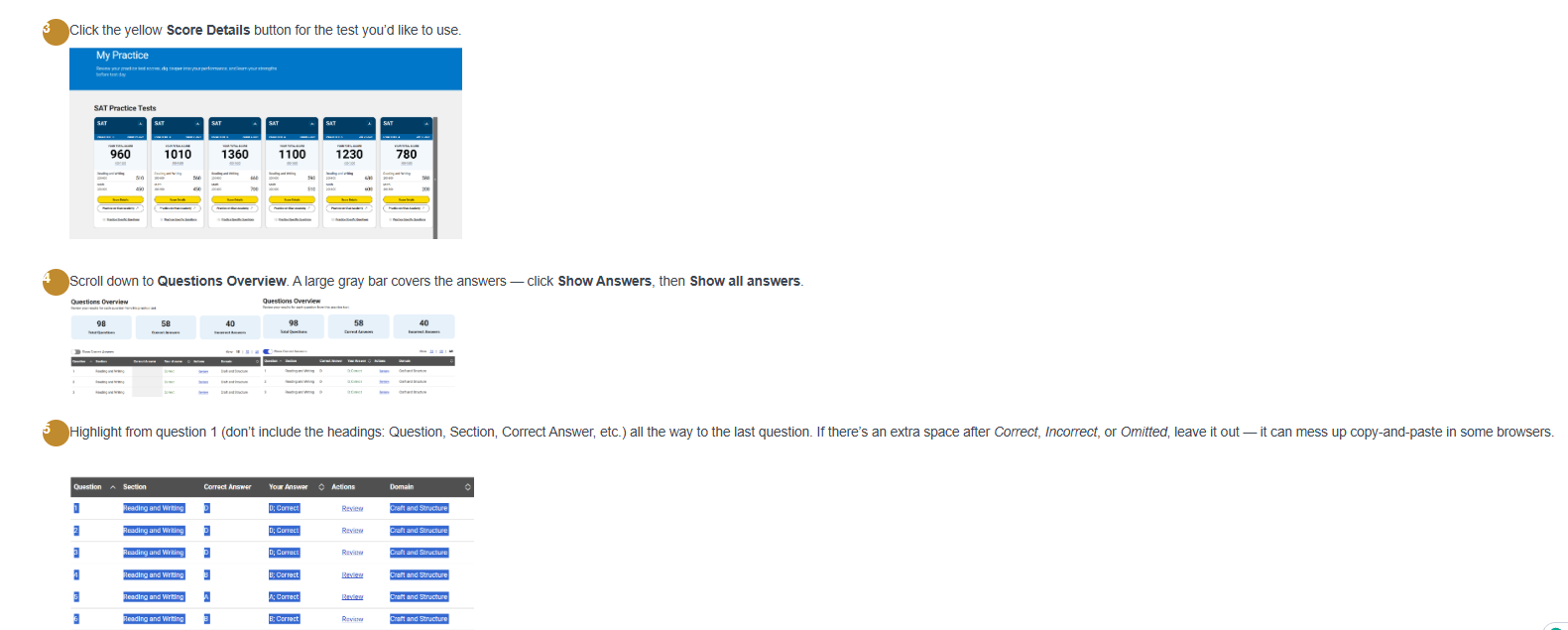
Find the practice test you completed and click the yellow Score Details button.
Scroll to Questions Overview. Click Show Answers, then Show all answers.
Begin with question 1 and highlight through the final question. Do not include the column headings. Avoid copying an extra space after Correct, Incorrect, or Omitted; that space can cause problems in some browsers.
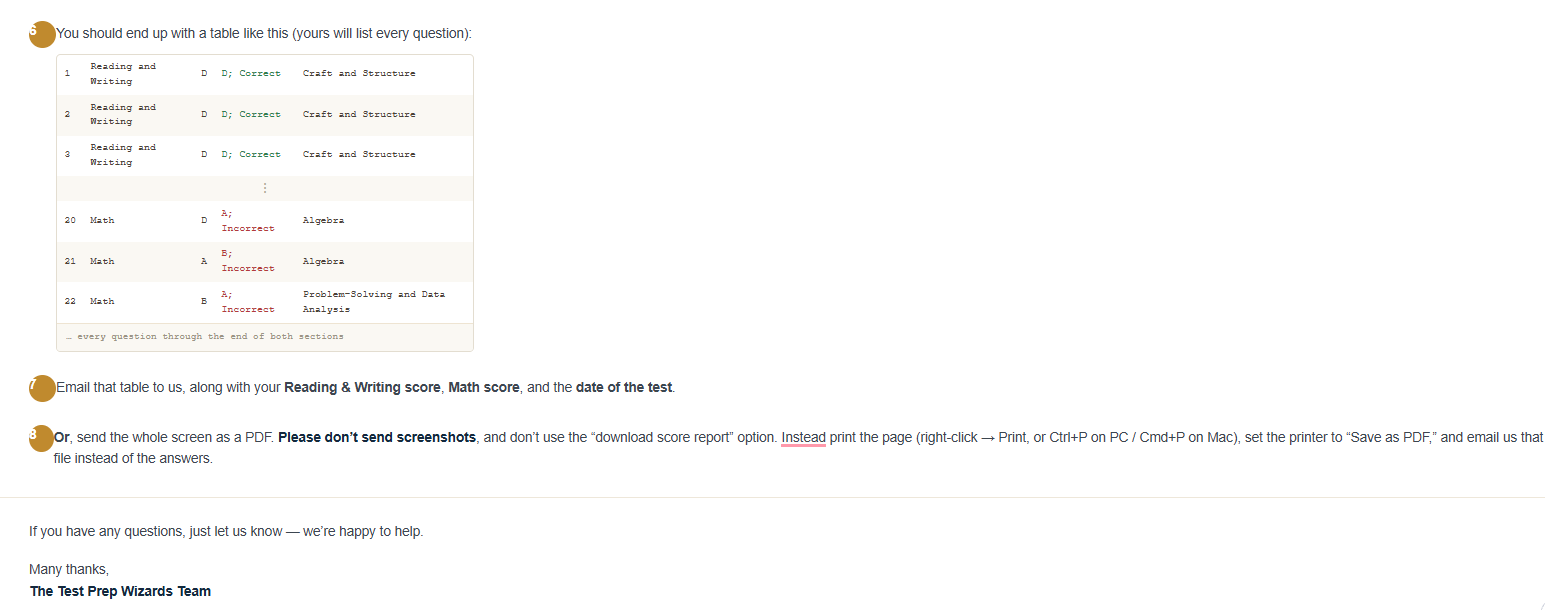
Your copied content should include every question from both sections, with the section, correct answer, your answer/result, and domain information.
Tip: tap a screenshot to open the expanded section, then zoom if needed.
Two ways to submit
Choose either option below and email it to admin@testprepwizards.com.
Paste the complete answer table into an email. Include:
Print the complete results page using Ctrl+P on a PC or Cmd+P on a Mac, select Save as PDF, and attach that file.
Do not send screenshots or use College Board’s “download score report” option; those do not contain the detailed answer information we need.